Launch offer: 25% off your first 3 months on Team and above. Code LAUNCH25 until 31 December 2026See plans

Client review for agencies and studios

Stop chasing feedback. Pin it.

Clients click the exact spot on your PDF, picture or video and say what to change. You see every comment, reply and approval in one place, under your own name.

No card needed. 2 GB and 2 team members to try it. Clients are always free.

projects.yourstudio.com
A client's comments pinned on a brand concept page
PriyaCan the wordmark be a little bolder?
DanaYes. Heavier in the next round.
PriyaMatte kraft for the bag?

Feedback is a mess. It should be one page.

Today

  • "See my WhatsApp from Tuesday"
  • "Second logo, page four, left side"
  • Seven email replies and one reply-all
  • A voice note at 22:40
  • Which version was that about?

With Kagua

  • One pin, on the exact spot
  • One thread per comment, resolved when done
  • Every deck version kept, labelled and in order
  • Approval recorded with a name and a date
  • Your client sees only their own project
1

Click the spot. Say the change.

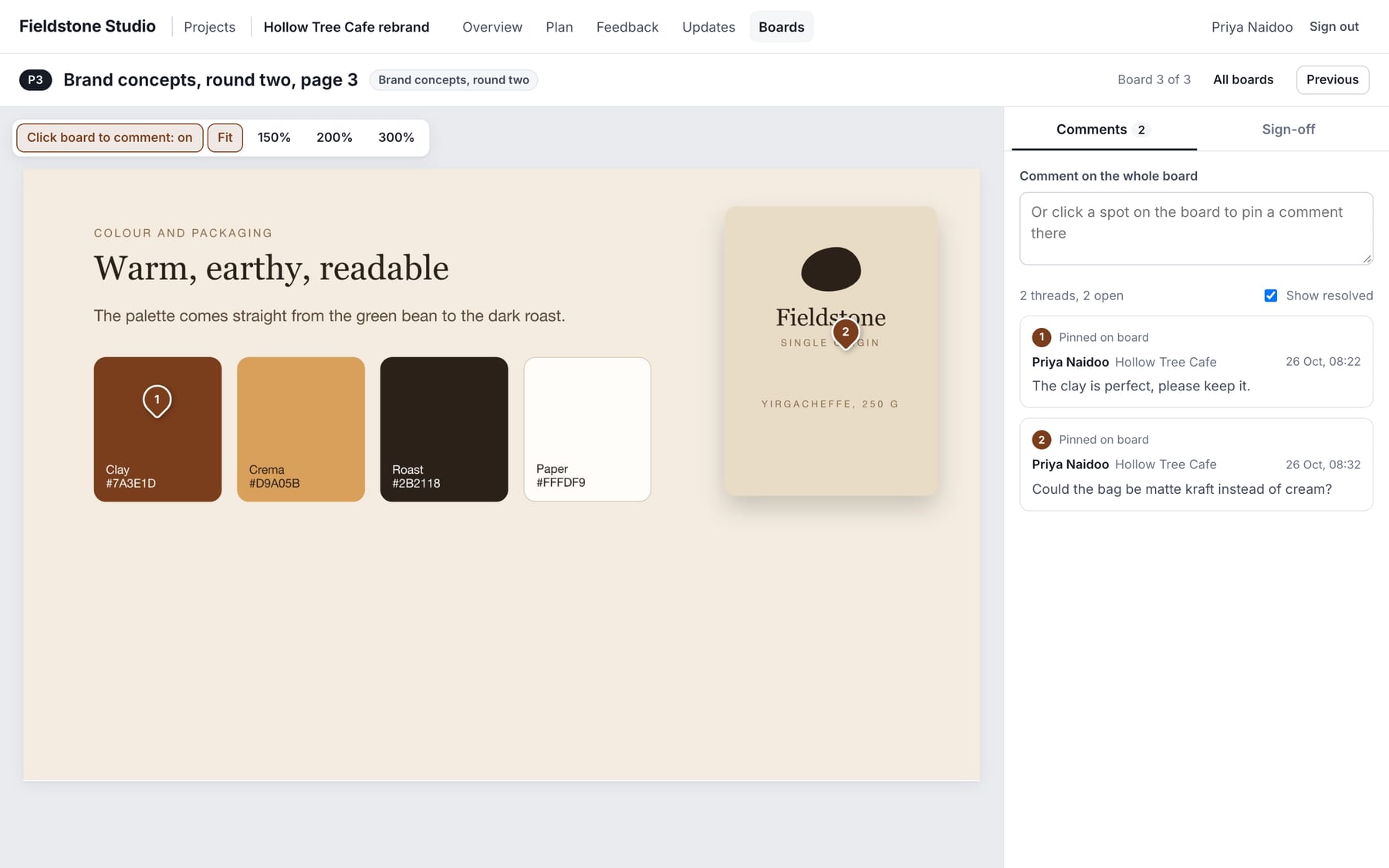
No more guessing which logo on which page. The client clicks, types, and the pin stays on that spot. Replies sit in the thread, and your team marks each one resolved.

  • Comment on any page of a PDF deck or any picture
  • Zoom in for detail, comment on the whole board, or on one spot
  • Replies, resolved marks and a sign-off on every board
Comments pinned on a colour palette page
2

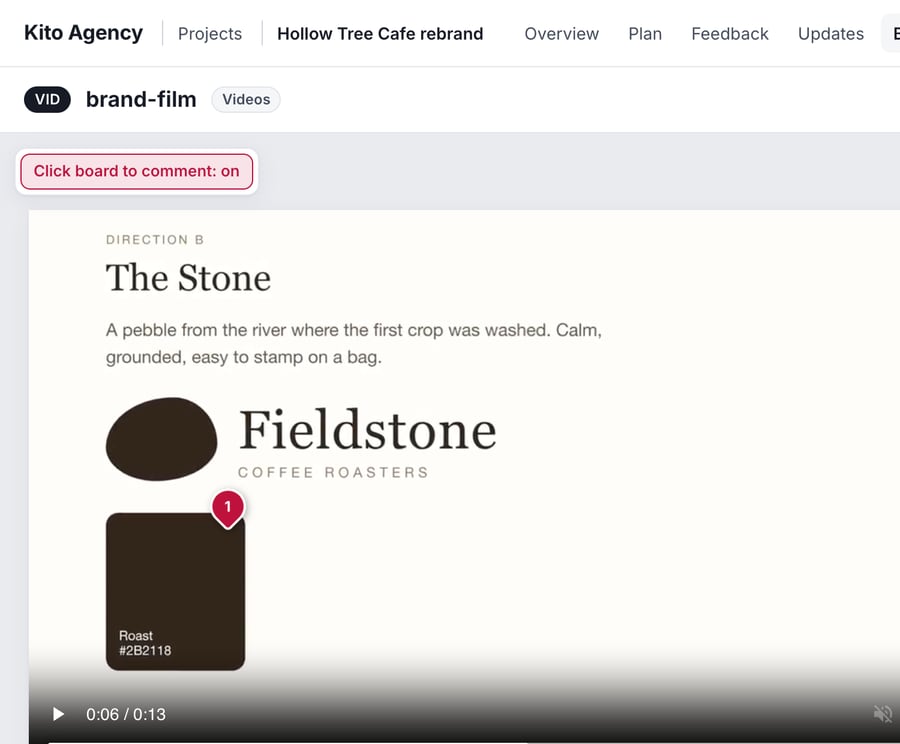
Video comments, to the second.

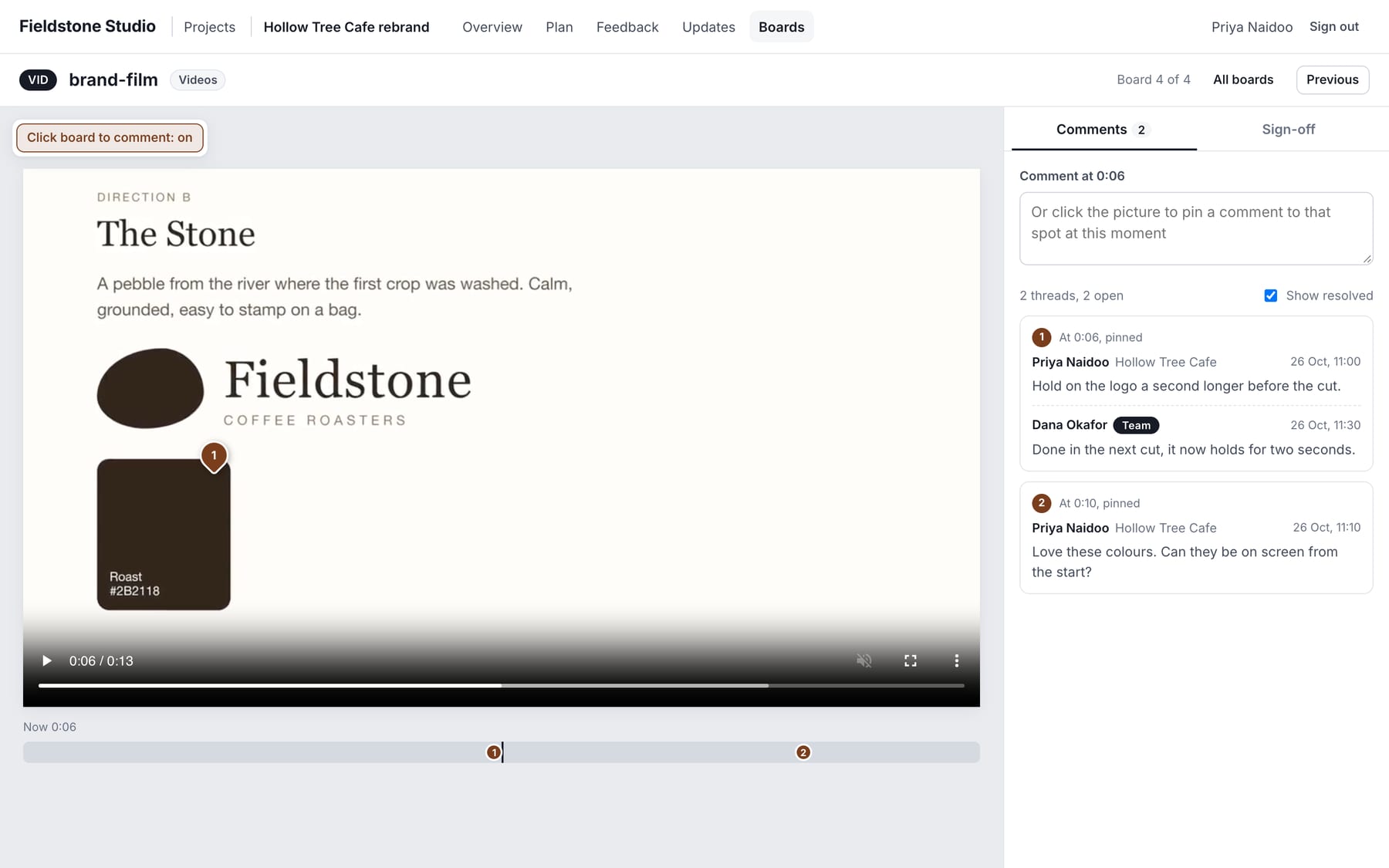
Pause where it matters and click the picture. The comment carries the time, and the timeline shows every comment as a marker. Click one and you are back at that moment.

  • MP4 and WebM, up to 500 MB each
  • No transcoding queue, no watching a spinner
  • Replace a video and the old file is cleared, comments stay
A video with timed comments and a timeline of markers
3

Every round, in order.

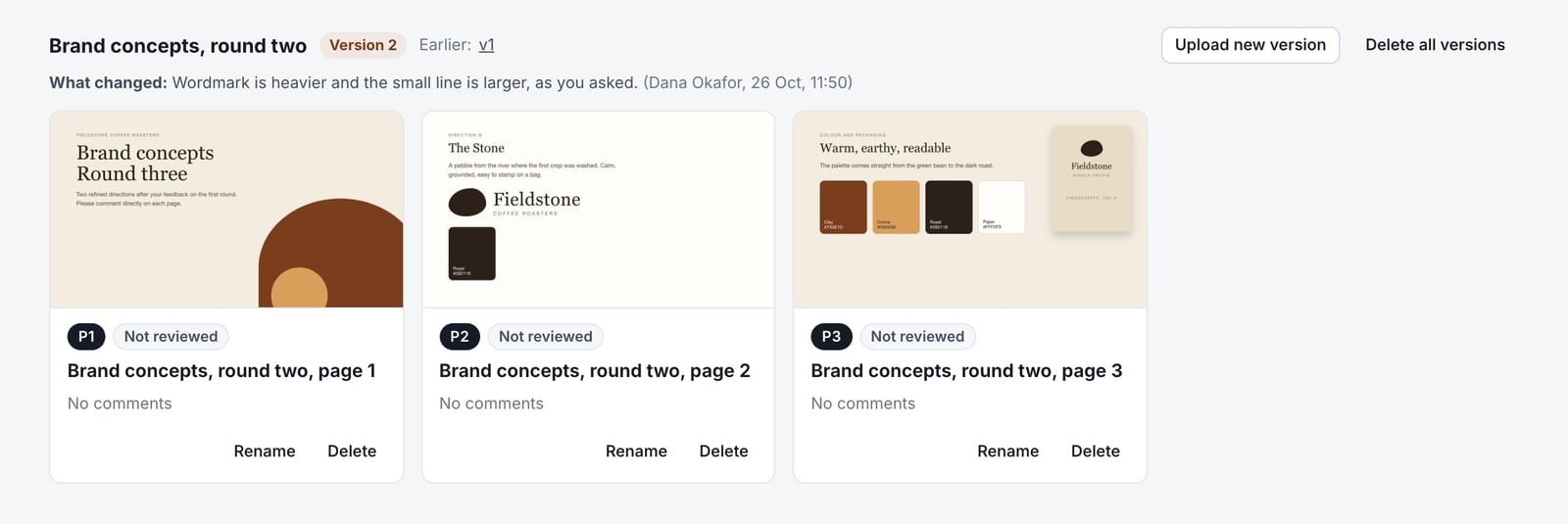
Upload version two with a note on what changed. Your client is told, the earlier version stays readable, and approvals start fresh on the new pages.

  • Each version labelled, with who uploaded it and why
  • Earlier decks and pictures are kept for good
  • Progress counts only what is under review now
A deck at version 2 with its note on what changed
4

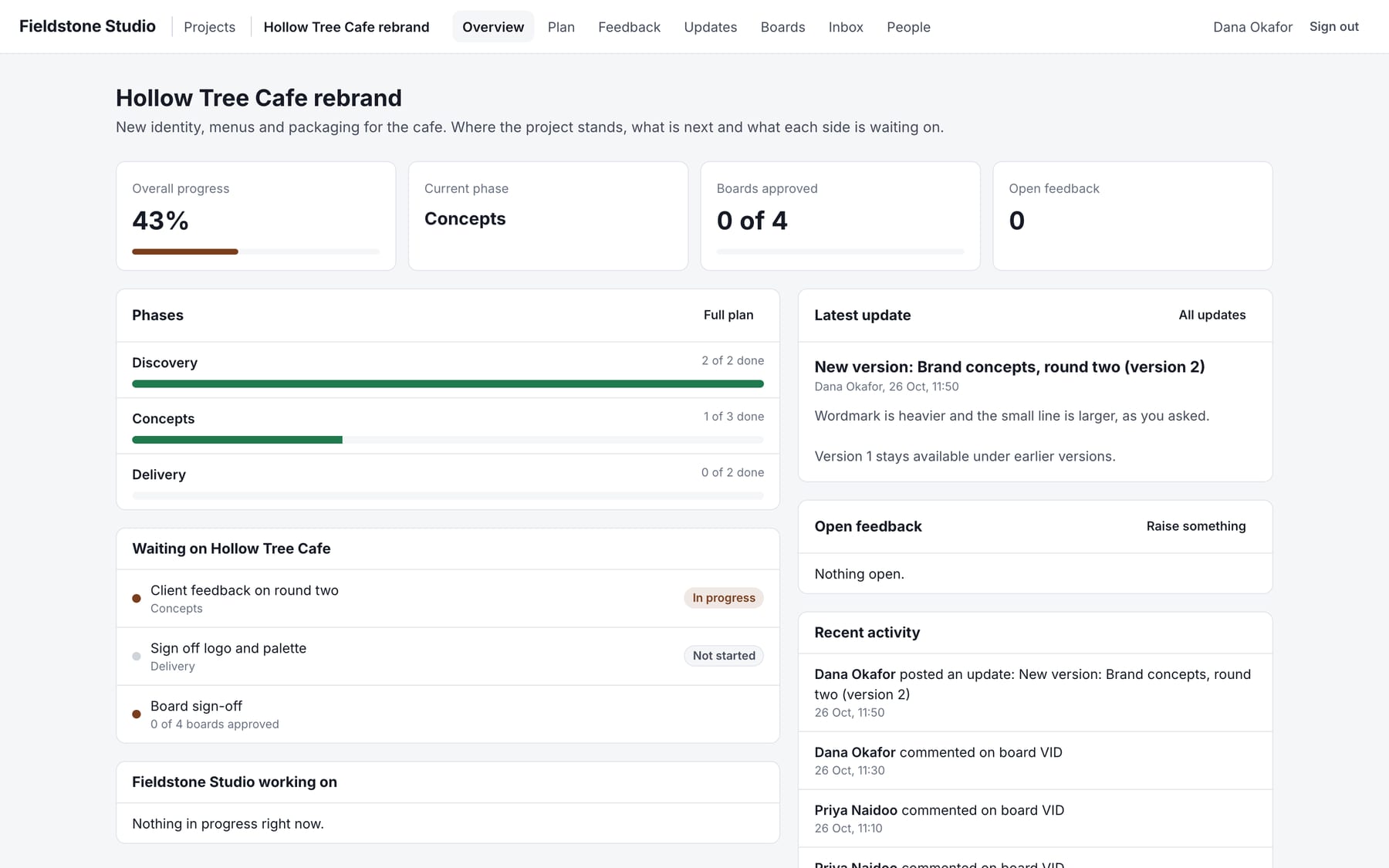
One room per project.

Progress, plan, feedback list and updates, so a client sees what is done, what is waiting on them and what you are working on. No more "where are we on this?"

  • Plan with owners: yours and the client's
  • Team inbox of every thread waiting on a reply
  • Export all feedback to a spreadsheet
A project overview with progress, plan and recent activity

White label

Your name on everything. Never ours.

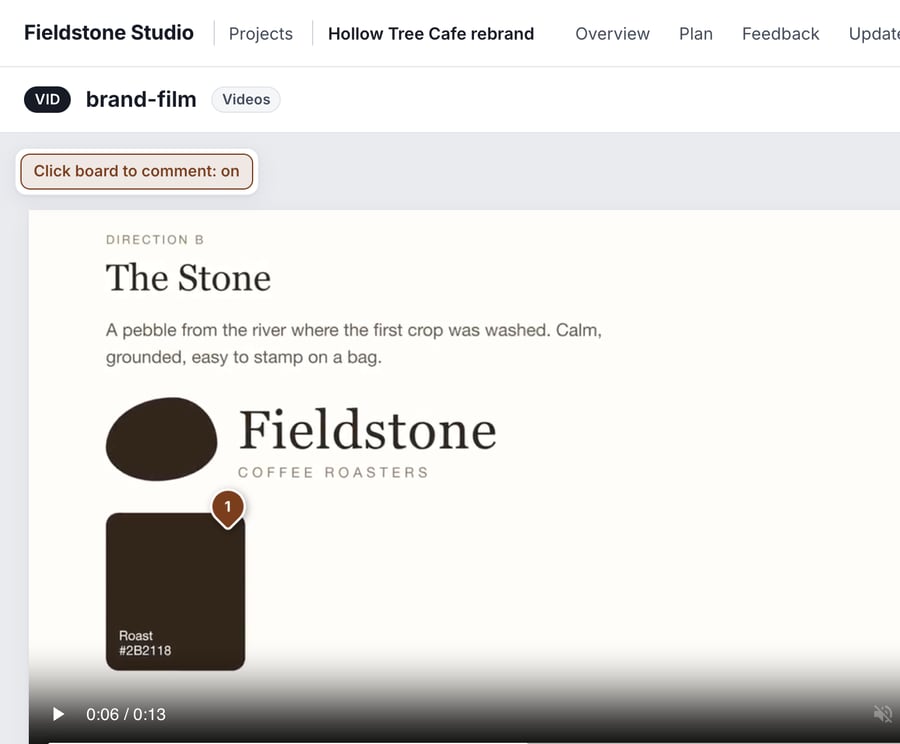
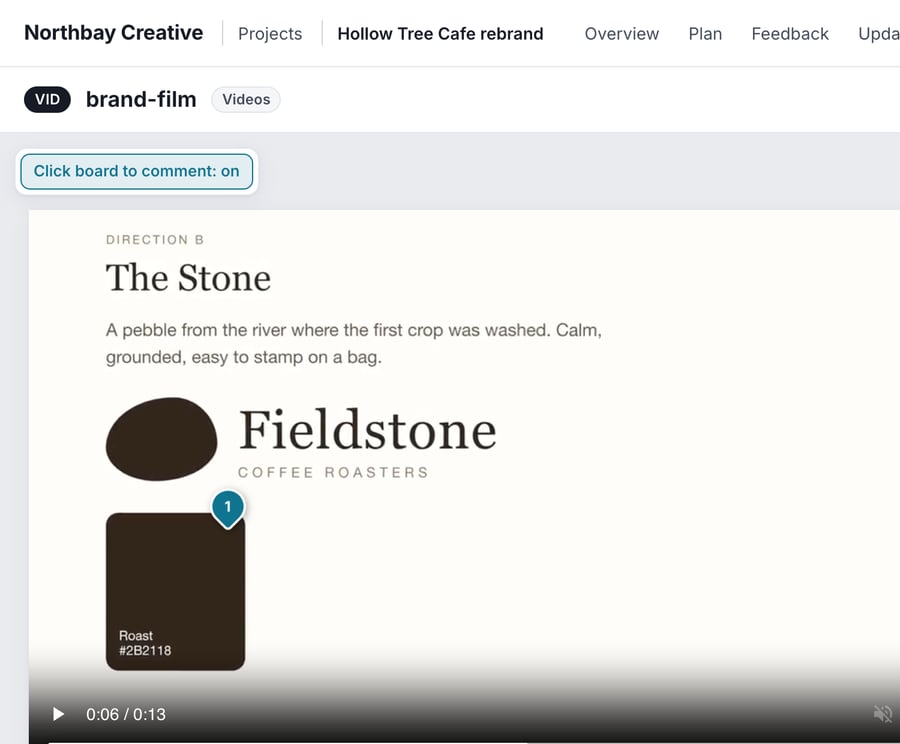
The same product, three different studios. Each has its own name, logo and colour on every page and in every invitation email, and can sign in at its own address.

The review screen in studio 1's own colours
The review screen in studio 2's own colours
The review screen in studio 3's own colours

Four steps from upload to approval

  1. Create a projectName it, add the client and get a plan, updates and feedback list ready.
  2. Upload your workDrop in a PDF, pictures or a video. Pages appear as boards within seconds.
  3. Invite your clientThey get an email, set a password and see only their project.
  4. Review and approveThey pin comments and approve page by page. You reply, fix and upload the next version.
Invitation only

No shared passwords and no public links. Everyone signs in with their own account.

Separate workspaces

A client cannot see another client's project, and files are only served to people with access.

A record of every approval

Who signed off which page, and when, kept with the comments and versions.

You stay in control

Add or remove people and switch off anyone's access at any time, and delete files whenever you choose.

Pricing

Pay for the team you have. Clients are free.

Solo

A freelancer sharing the odd deck

R99a month
Billed monthly
  • 2 GB of storage
  • 2 team members
  • Unlimited clients, free
  • PDF, picture and video review
  • Your name, logo and colour
Start free trial

Starter

A small studio with a few active clients

R299a month
Billed monthly
  • 10 GB of storage
  • 5 team members
  • Unlimited clients, free
  • PDF, picture and video review
  • Your name, logo and colour
Start free trial
Start here

Team

A working agency, most teams start here

R499a month
R374,25 for your first 3 months with LAUNCH25
  • 25 GB of storage
  • 10 team members
  • Unlimited clients, free
  • PDF, picture and video review
  • Your name, logo and colour
Start free trial

Agency

Several teams and heavier video

R799a month
R599,25 for your first 3 months with LAUNCH25
  • 50 GB of storage
  • 20 team members
  • Unlimited clients, free
  • PDF, picture and video review
  • Your name, logo and colour
Start free trial

Studio

A large studio with a lot of footage

R1 299a month
R974,25 for your first 3 months with LAUNCH25
  • 100 GB of storage
  • 50 team members
  • Unlimited clients, free
  • PDF, picture and video review
  • Your name, logo and colour
Start free trial

Add what you need

+25 GB storage for R99 a month, or +5 team members for R199 a month, on any plan. Pay for exactly the room you use.

Try it free first

7 days, 2 GB and 2 team members, no card needed. Keep it going on the Solo plan, or move up when your team grows.

Launch offer: 25% off

Your first 3 months on Team and above with code LAUNCH25. Monthly billing, until 31 December 2026.

Questions

Do my clients need an account?

They get an invitation by email, choose a password and sign in. It is free for them, and they only ever see the projects you add them to. Clients who only review never count towards your team members.

What happens after the 7 day trial?

The trial gives you 2 GB and 2 team members for 7 days, with no card. If you carry on, the Solo plan has the same limits for R99 a month, or you pick a bigger plan. Nothing is deleted if you take a few days to decide, but the space pauses until it is paid.

What can I share?

PDF decks (every page becomes a board), PNG, JPG and WebP pictures, and MP4 or WebM videos. Comments on a video are tied to the exact moment, and a click on the timeline jumps back to it.

What happens when I upload a new version?

The new version is labelled, your note about what changed is shown, and your client is told. Earlier decks and pictures are kept. The old video file is deleted to save space, but its comments stay.

Who counts as a team member?

Owners and team members, the people who upload, reply and manage projects. Clients are unlimited and free on every plan.

Can I change plan, or add storage?

Yes. Move up or down when you need to, and add 25 GB of storage or 5 team members on any plan. Going to a smaller plan needs you to be within its limits first.

What does paying yearly save?

Ten percent. You pay for twelve months at once and the plan price drops by a tenth. The launch offer is for monthly billing.

How do I pay?

By card, or by invoice and EFT. Either way you can switch later. If a payment is late you get a few days of grace and a reminder before anything is paused, and nothing is ever deleted.

Can it carry my own name and web address?

Yes. Your company name, logo and colour appear on every page and in every invitation email, and the sign-in page can live at an address like projects.yourcompany.com.

Is my work private?

Every workspace is separate and invitation only. A client cannot see another client's project, and files are only served to people who have access to that project. There are no public links.
Send your next deck the way it should be reviewed.

Start your 7 day free trial. Tell us a little about how you share work today and we will set up a workspace for you to try with a real project. No card.